

Both apps cover many of the same jobs, including writing, image creation, visual questions, and web research. Their official pages also describe choosing between AI models, so model switching alone is not a reason to choose one over the other.
This comparison checks published product information as of 26 September 2026. It does not report paired hands-on tests, an answer-quality winner, or a verified price advantage. Use the tasks below to compare the result you would actually use on iPhone.
The short answer
ChatMore and ChatOn both offer model choice, writing, visual tools, and web research. ChatMore’s listing also describes offline AI through Apple Intelligence. Choose by the tasks, device support, and subscription limits you can verify in your own account.
The official information supports a shortlist, not a universal winner. Run the same input in both apps and compare accuracy, corrections, task completion, limits, and the total price shown to you.

What the official sources support
The facts below come from ChatMore’s U.S. App Store listing and ChatOn’s official feature and FAQ pages, checked on 26 September 2026. They describe advertised capabilities; we have not measured the apps against each other.

iPhone app
ChatMore

iPhone app
ChatOn
| Criterion | ChatMore | ChatOn | What to consider |
|---|---|---|---|
| Model choice | The App Store listing names GPT, Gemini, Grok, Claude, and DeepSeek and describes switching models. | The FAQ names GPT, Gemini, Claude, and Sonar and explicitly describes model switching. | Both publish model-choice features. Confirm exact models and plan access in your account. |
| Free access and limits | Free to download; the public listing does not establish which model and usage allowance each free account receives. | The official feature page lists GPT-4o mini for free access and other models for Premium. | Check the current offer and usage limits before comparing costs. No free-model superiority claim is established here. |
| Image creation and editing | The listing describes text-to-image creation and photo transformations. | Official sources describe image generation and editing inside chat. | Try the same input and one controlled revision. Check identity, edges, lighting, and unwanted changes. |
| Screenshots and documents | The listing describes uploaded documents, image questions, and screenshot text extraction. | Official sources describe uploaded image and file analysis. | Use the same readable screenshot or file, then verify the answer against the source. |
| Web research | The listing describes real-time answers using web search. | Official sources describe real-time web search. | Ask the same current question and open the original sources behind the answer. |
| Offline AI | The listing describes offline mode powered by Apple Intelligence. Device and feature support need checking. | The reviewed feature and FAQ pages do not establish offline support. | Ask about support if offline use matters. Missing documentation is not proof that a feature is unavailable. |
Create an image, then keep improving it
Use a small creative task to compare each app. Start from the same written idea or source photo, keep the requested result identical, and ask for one focused revision. The practical question is whether the result preserves the details you need.
- Create or upload: describe a new image, or choose a photo that needs changing.
- Protect what matters: name the face, subject, pose, crop, product shape, or other details that must stay unchanged.
- Make one edit: change background, outfit, hair, lighting, composition, color, or style.
- Review and refine: inspect edges, hands, faces, text, shadows, and proportions, then ask for the next correction.
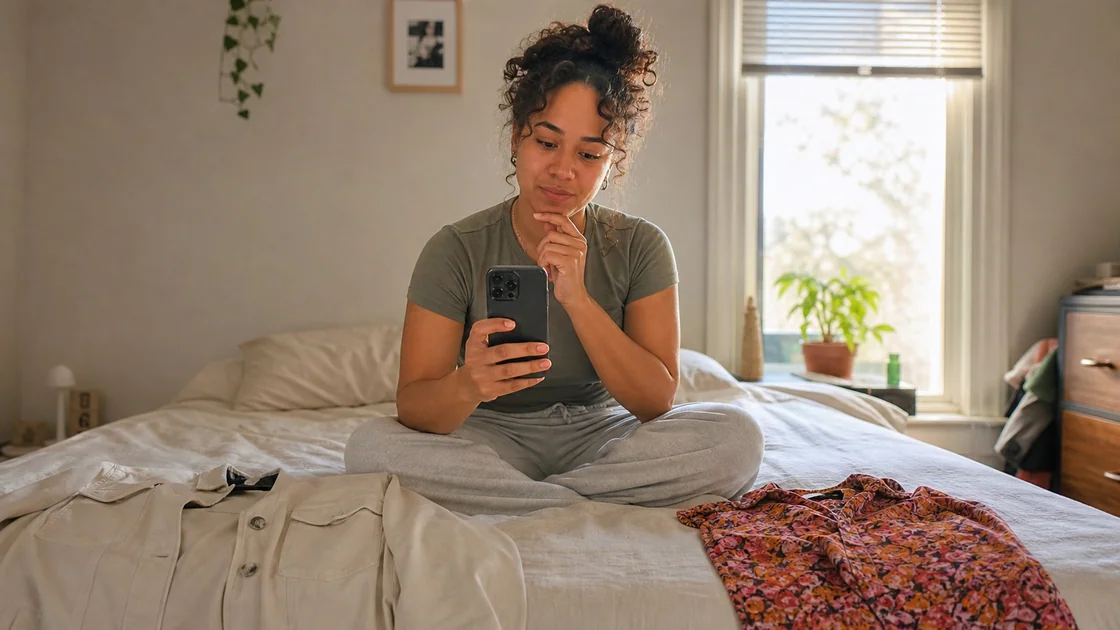
Example workflow
Keep the person, pose, face, and crop unchanged. Replace only the background with a softly lit city evening. Then check the hair edges, shadows, and color temperature before making the next revision.
More ways ChatMore earns its place on your iPhone
Creative work is one part of ChatMore. Use the same app to inspect visual information, research current questions, write replies, and turn rough material into something useful.
- Turn a long message into a short reply with the right tone.
- Ask the app to explain a screenshot of instructions, an app screen, or an error.
- Research a current travel, shopping, or everyday question.
- Turn pasted notes into a quick study quiz or simple checklist.


When to put ChatMore on your shortlist
Try ChatMore when your iPhone tasks cross writing, screenshots, image creation, documents, and web research, or when its advertised offline mode is relevant to your device.
ChatOn also describes a broad toolset. Compare both with your own inputs and account limits; the published feature lists alone do not establish which will give you the more useful result.
Example workflow
Mobile test: upload the same screenshot of a product table, ask each app to extract visible facts and unknowns, then request a short message explaining the tradeoffs. Check every number against the screenshot.
Decide from the result you can verify
Choose the app that handles your repeated tasks with acceptable corrections, clear sources, and limits that fit your routine. Check the price, billing period, renewal terms, and included usage shown to you.
A current like-for-like price comparison and paired task results are not available for this article. Neither app is declared cheaper, faster, or better overall.
Prompts to try
Create a realistic evening portrait with soft window light and a simple city background. Keep the framing natural and leave out text.
Edit this photo. Keep the person, face, pose, and crop unchanged. Replace only the background, then match the shadows and color temperature.
Explain this screenshot, identify the important detail, and tell me what to do next.
Research this current question, separate confirmed facts from assumptions, and give me a short recommendation.
Quick checklist
- Choose the model family that fits the task.
- Generate one image, then request one focused revision.
- Upload one photo and protect details that must stay unchanged.
- Try screenshot analysis, current web research, and offline AI where supported.
Create, edit, and refine in ChatMore.
Start with a prompt or photo, make one focused change, inspect the result, and keep refining from your iPhone.
Download ChatMoreCommon questions
Which is better, ChatMore or ChatOn?
Neither app is established as a universal winner here. Both advertise model choice, writing, visual tools, and web research. Compare your own tasks, check account limits, and choose the app whose result you can verify and use.
Do both apps let me choose an AI model?
Yes, both describe model choice in their official product information. ChatMore’s App Store listing describes switching between models, and ChatOn’s FAQ explicitly describes model switching. Check exact model availability and plan access in your account.
Which app has the better free model?
A like-for-like free-tier advantage has not been verified. ChatOn’s official feature page lists GPT-4o mini for its free plan. ChatMore is free to download, but its public listing does not establish the exact free model and allowance available to every account.
Does ChatMore work offline?
ChatMore’s App Store listing describes offline mode powered by Apple Intelligence. Confirm that your device supports the mode and check which features remain available before relying on it without a connection.
Were the apps tested against each other for this article?
No paired hands-on results are presented. This is an official-source comparison, checked on 26 September 2026, with repeatable tasks you can try yourself.
Sources and product details
ChatMore publishes this guide. Product features, availability, limits, and prices can change; consult the current official information before choosing a plan.
- ChatMore on the App Store
- ChatOn official features and plan comparison
- ChatOn official FAQ